Student
Signing in and the meaning of each status are in the KOJ Overview.
The interface is in Korean; screen and button names below are quoted as they appear.
Finding a Problem
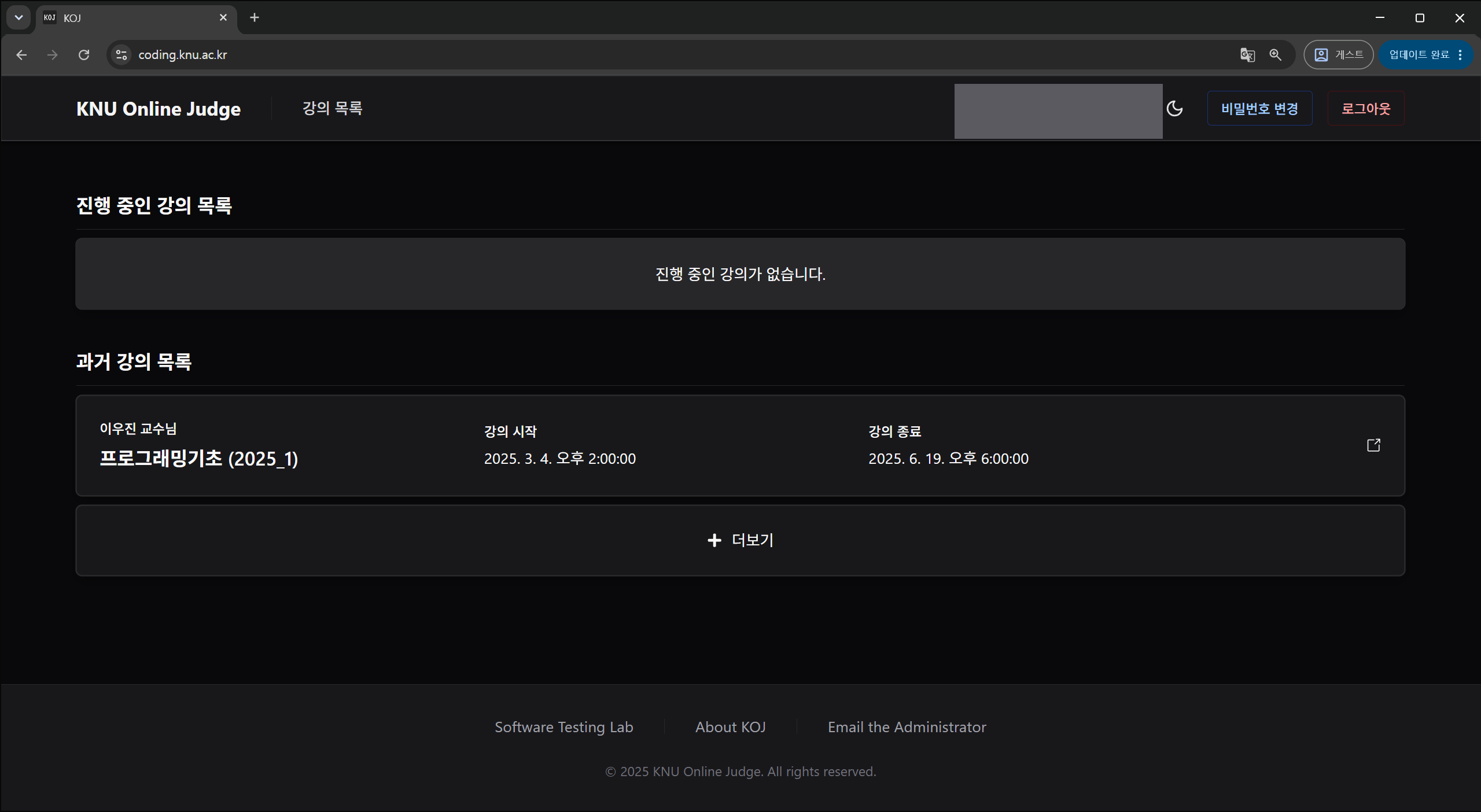
If a course or lab is missing, check your enrollment and the lab's period and visibility.
Reading a Problem
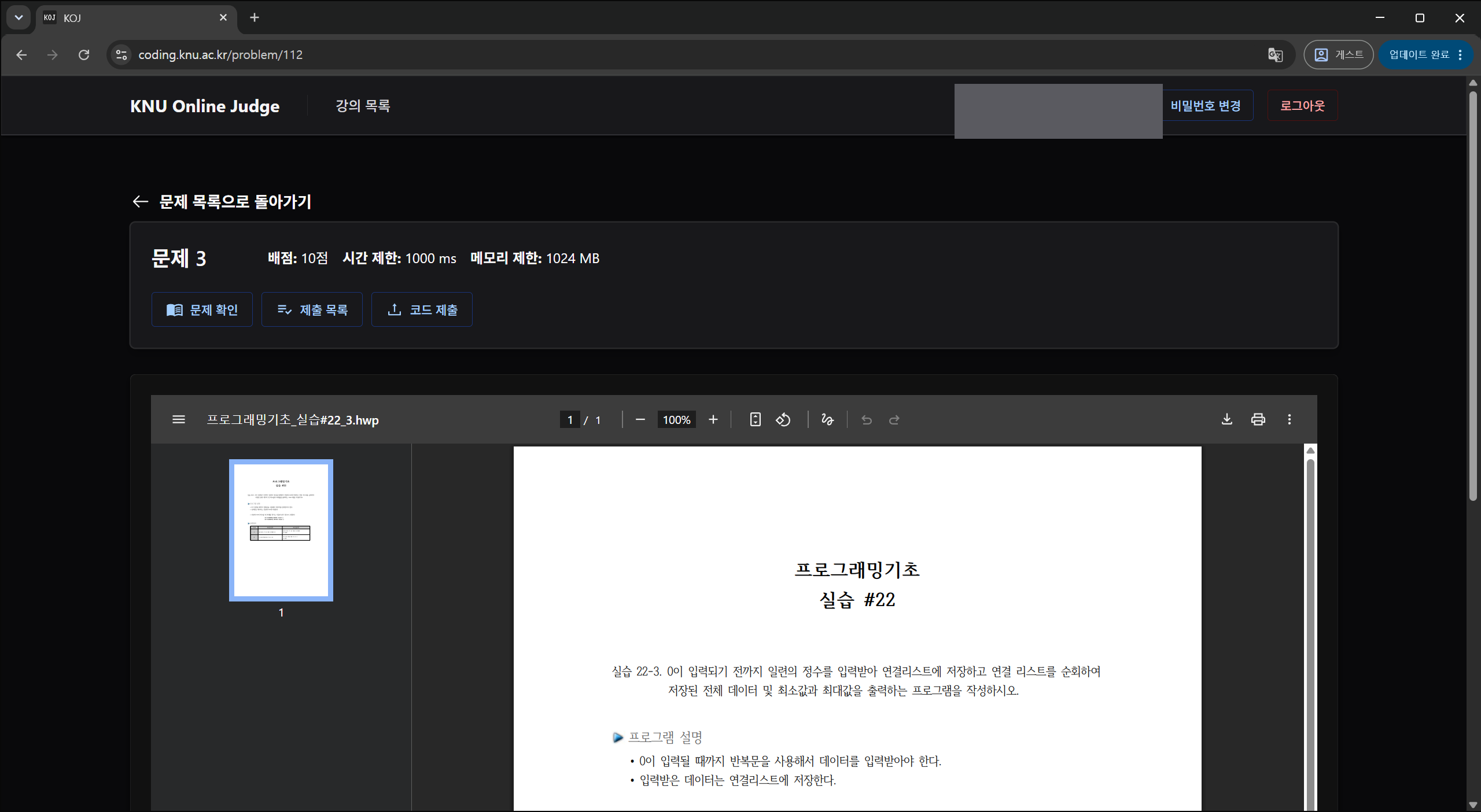
- Check whether the problem uses file I/O or standard I/O. A difference in whitespace or line breaks in the output also counts as a wrong answer.
Submitting Code
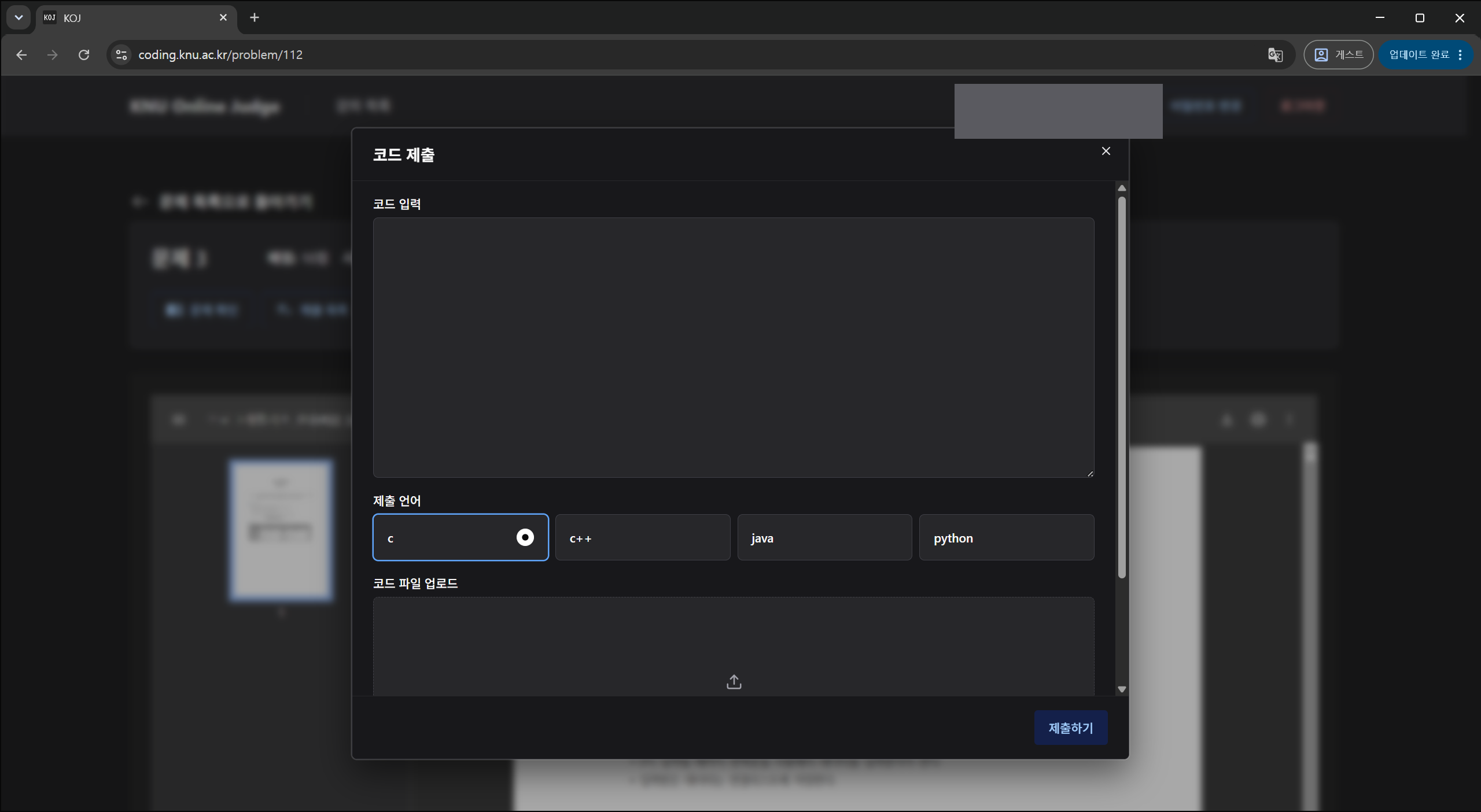
- Pasted code is saved as
Main.c,Main.java, and so on to match the language. Uploaded files must match the filename the problem asks for. - Code must be UTF-8. Any other encoding is reported as a compile error.
Grading Results
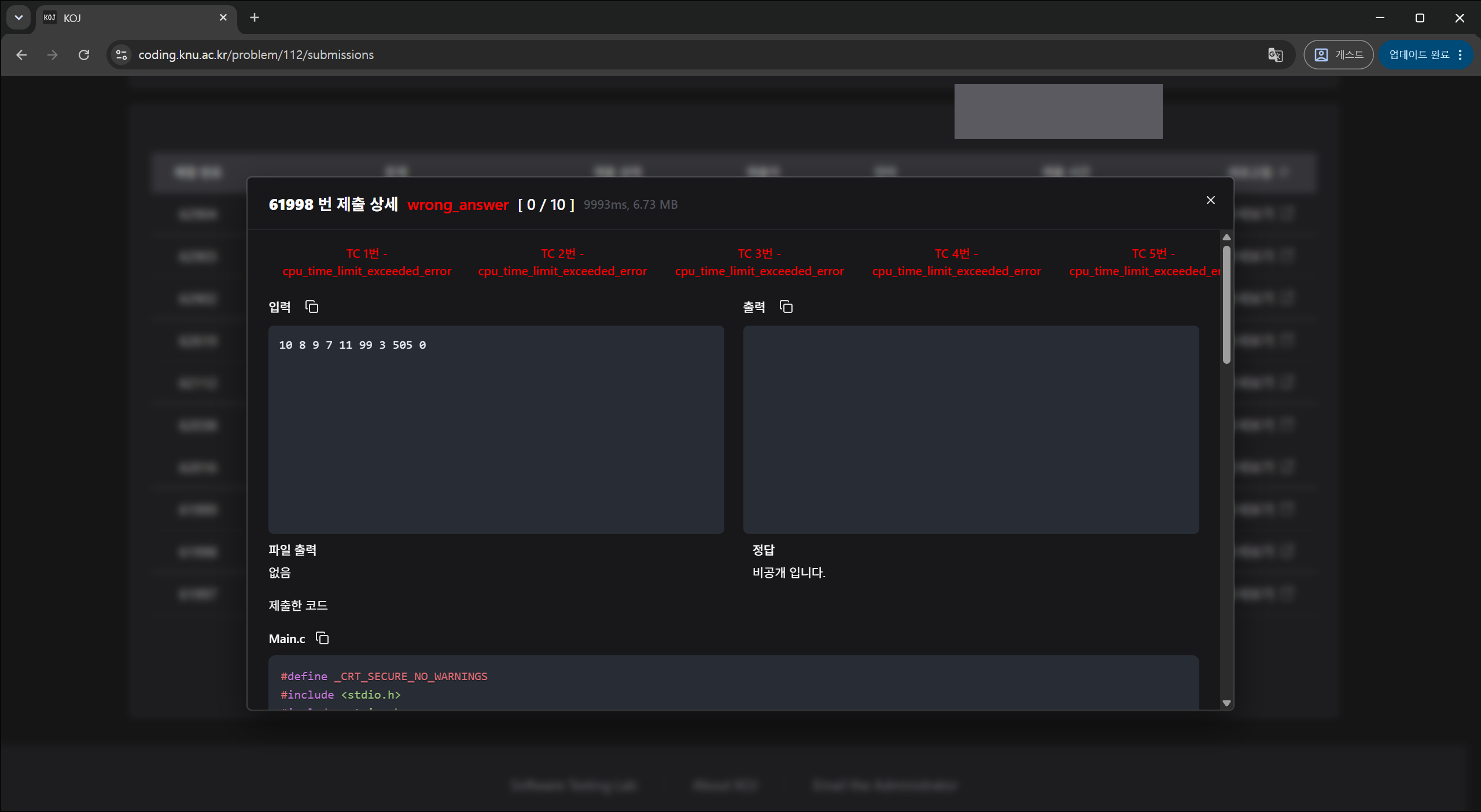
정답 means you passed; every other status is explained in Submission Status.
- Expected answers are hidden on most problems. They show as
비공개 입니다(private). - The detail view shows raw English statuses. What the list calls
오답iswrong_answerhere. - If a submission sits at 대기 (waiting) or 실행 중 (running) for a long time, or comes back 내부 에러 (internal error), the failure may be on the grading side rather than in your code. Report the problem name and submission number to your TA or professor.